
- Youtube
- Excessive Plus 1.03 - Forcing custom expert.cfg / plus.cfg offline against bots (Win7)
- General POLSKI Topic
- Quake All-stars December 2026 frag night
- add AI voice commentator to game
- JIVA's server invite players
- help me with rcon comman
- JIVA's games.log parser
- how many quake 3 players E+ still play sometimes
- DOOM 2 SERVER - UPDATE
User login

Enemy Colors
27. April 2005 - 17:29
#11


Enemy Colors
the_deicide wrote:
if you change enemy colour in your config to 2222 it only changes your enemies to light green, or am i confused cause i just woke up?
If you do what I posted:
[code:1]set xp_enemyModel "tankjr/xp"
set xp_enemyColors "1222" [/code:1]
You and your teammates will stay the same, your "enemies", will become lime green TankJrs. This means in a FFA game, everyone else will be green, but in a TDM/CA/CTF/RTF/Freeze game, your team will be normal and the other team will be green.
27. April 2005 - 18:32
#12


Enemy Colors
 wrote:
xp_enemyColors "mnop"
the lettes a-z give you subtle variations down the roygbiv scale.
mnop is a blue graidient
You should call that the Daleks model
EXTERMINATE!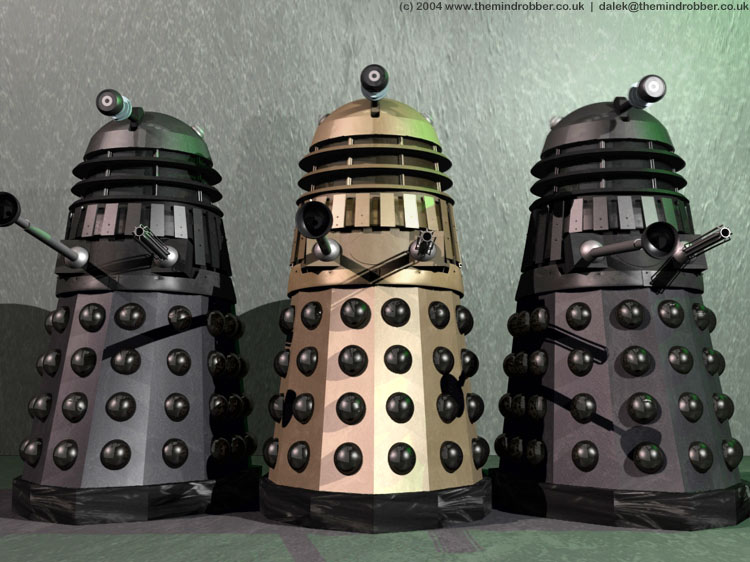
27. April 2005 - 21:56
#13


Enemy Colors
wrote:the_deicide wrote:if you change enemy colour in your config to 2222 it only changes your enemies to light green, or am i confused cause i just woke up?If you do what I posted:
[code:1]set xp_enemyModel "tankjr/xp"
set xp_enemyColors "1222" [/code:1]
You and your teammates will stay the same, your "enemies", will become lime green TankJrs. This means in a FFA game, everyone else will be green, but in a TDM/CA/CTF/RTF/Freeze game, your team will be normal and the other team will be green.
Where should I insert those 2 command lines?

27. April 2005 - 22:46
#14
Enemy Colors
Those lines should be in your config if you have the full mod.
9. May 2005 - 18:04
#15


problem
when i changed those lines in my cfg, my quake started with 640x480 resolution, default controls, well everything was set to default.  Whats wrong?

Shout 18:36:12
 :
:  : test
 : did Alcoholic nuke our site?
Who's online
There are currently 0 users and 16 guests online.